
What Does Compressing a PDF Do? Simple Explanation
By BestFreePDFConverter Editorial Team
Compression shrinks a PDF by optimizing images and extra data so the file is easier to email, upload, and store.
What does compressing a PDF do? It reduces the file size by optimizing images, document data, and other elements inside the PDF. The result is a smaller file that is easier to upload, email, and store.
PDF compression aims to preserve the document’s content and layout, although some compression settings may reduce image quality. You can try it in the browser with the free Compress PDF tool.
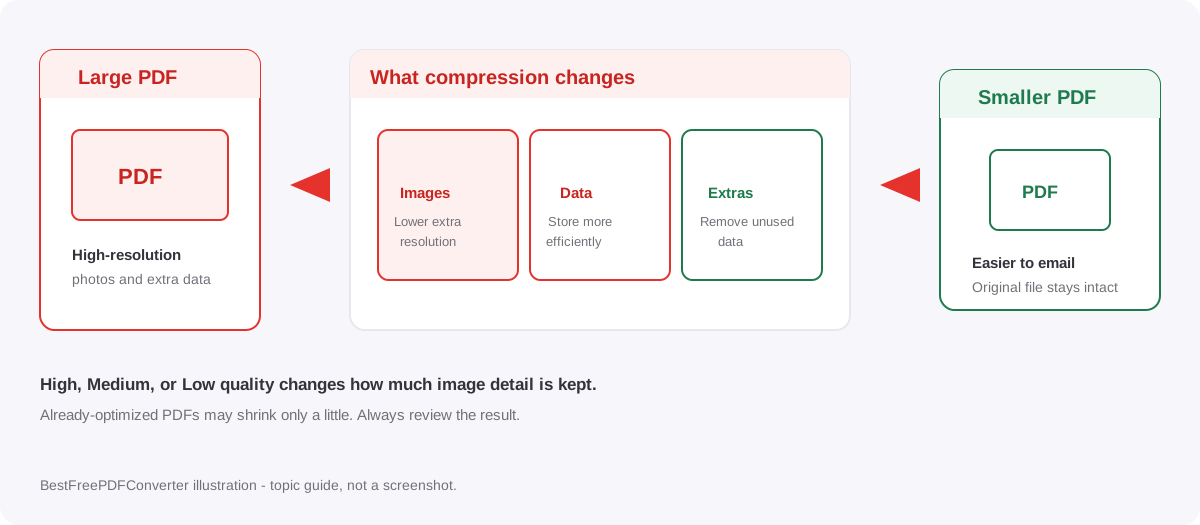
What does compressing a PDF do to the file?
PDF compression can reduce file size in several ways:
- Image optimization: Reduces the resolution or amount of image data.
- Data compression: Stores certain document information more efficiently.
- Removing unnecessary data: Eliminates redundant information where possible.
For example, a PDF containing high-resolution photographs may become significantly smaller after compression. A PDF that is already optimized may show little improvement.
Does compressing a PDF reduce quality?
It depends on the compression level and the document’s contents. PDFs containing mostly text can often be compressed with little noticeable visual change. Image-heavy or scanned PDFs may lose sharpness when stronger compression is applied.
| Compression setting | Expected result |
|---|---|
| High quality | Sharper pages, usually larger file |
| Medium quality | Balance between size and readability |
| Low quality | Smaller file, potentially reduced image quality |
Always review the compressed PDF, especially if it contains scanned text, detailed images, or important documents.
How to compress a PDF online for free
You can reduce PDF file size directly in your browser.
Step 1: Open the PDF compressor
Visit the free online PDF compressor.
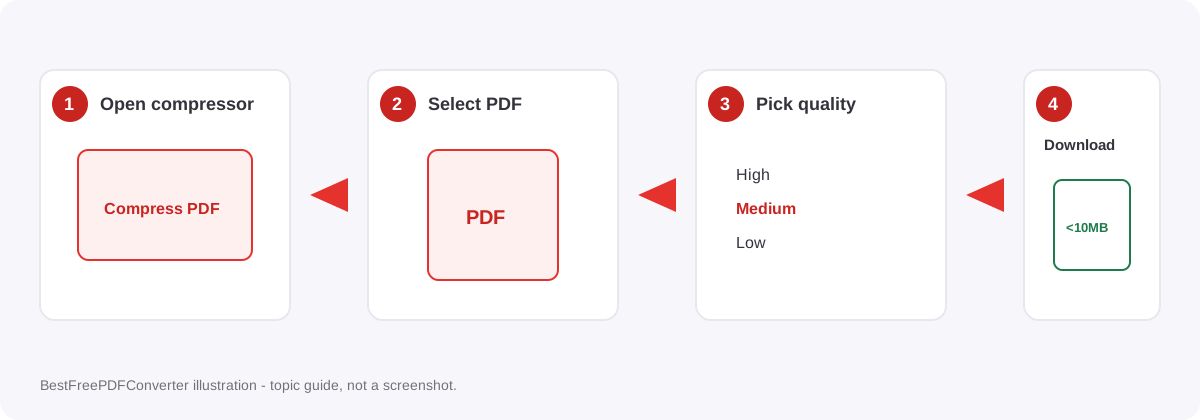
Step 2: Select your PDF
Choose the document you want to compress. The tool supports PDFs up to 50 MB per file and allows up to 20 files per batch.
Step 3: Choose the quality
Select High, Medium, or Low based on your preferred balance between file size and quality.
Step 4: Compress and download
Click Compress PDF and download the resulting file. Compare its size with the original and check that all pages remain readable. If you need the file under a 10 MB upload limit, see how to make a file less than 10 MB.
Why should you compress a PDF?
PDF compression is useful when you need to:
- Send large PDF attachments by email.
- Upload documents to websites with file-size limits.
- Save storage space on your device.
- Share files more easily.
Compression does not guarantee a particular output size. The result depends on how much the original PDF can be optimized.
Privacy and limits on this site
PDF compression on BestFreePDFConverter runs in your browser. Files are not sent to a compression server for that step. Read the privacy policy before you compress sensitive documents. Keep the original until you confirm the smaller copy is readable.
- Up to 50 MB per file and 20 files per batch.
- No sign-up is required to compress.
- Compression creates a new file. Your original PDF stays on your device unless you delete it.
Frequently asked questions
No. Normal PDF compression is intended to reduce file size, not remove pages.
Conclusion
So, what does compressing a PDF do? It reduces unnecessary file data and optimizes document elements to create a smaller PDF.
This makes documents easier to share, upload, and store, but stronger compression can affect image quality. To reduce your file size, use the free PDF compressor and choose a compression level that keeps your document readable.